The phone as the medium
A panel you hold,
not a window you look through.
A painting on a panel is something you hold. You turn it to the window to see the ridges, step back, tilt it away from a glare. You hold a phone the same way, and unlike a monitor it knows how it's being held. So I stopped treating the phone as a small screen and used it as the panel itself.
The medium is not the screen. It is the object in your hand, and everything it can sense about how it is held.
What a panel has that a screen does not
- It is turned to the lightRelief only shows when light rakes across it, and a painter moves the panel, not the lamp, to find that light.
- It is held at an angleNobody holds a phone flat, and everyone turns it in their hand as they work.
- It is touched with the bodyNo stylus, no pressure sensor for a finger: only how much of the fingertip is on the glass.
- It has a shapeA tall rectangle with rounded corners and a camera in the top edge, held by thumbs at the bottom.
What I decided
Tilting the phone moves the light, not the picture
I placed the lamp above your shoulder and keep your eye where it is; tilting the phone turns the painting between them, as tilting a panel in a room does. Highlights slide along the wet ridges and shadows lengthen as the light comes lower. The painting isn't animated. It's lit, and you're the one moving it.
A hand is never perfectly still, so tiny tremors are ignored and only a deliberate tilt moves the light, and tapping Tilt again levels it to however you're holding the phone. Psykopaint lit paint by tilt years ago; I'm not claiming tilt is new, only that here it lights a real simulation of paint rather than a filtered photograph.
It gives you the gesture you already use to inspect a painting. Seeing.
Which way is down keeps the light, and the paint, above
When the phone knows which way gravity pulls, it knows where above is, however the phone is turned. The tilt light stays up there, as a window's light does while you turn a panel in your hands, and the paint lands above your fingertip as you see it, even with the phone turned in your hand.
Ruled out: using it to work out which way your finger points, and aiming the paint along it. I built it, and the paint moved around the fingertip in ways that were hard to predict. The hand.
How much finger is on the glass is how hard you press
A fingertip barely touching covers about 12 points of glass; a pad pressed flat, about 34. That range is the only pressure a finger has, so I let it drive the brush: a light touch lays a thin line and a flat press a wide, heavy stroke, as a brush flexes and spreads under the hand.
Pressure without a stylus.
The canvas is the shape of the phone, and the controls live in its corners
The canvas runs edge to edge in the phone's own proportions, with about one cell of paint per screen pixel. I put the controls in the four corners, concentric with the screen's rounded corners: the bottom two where thumbs already rest, the top two in the camera's row, beside it. They open as rings that follow the corner's curve, and they step aside while a stroke is down.
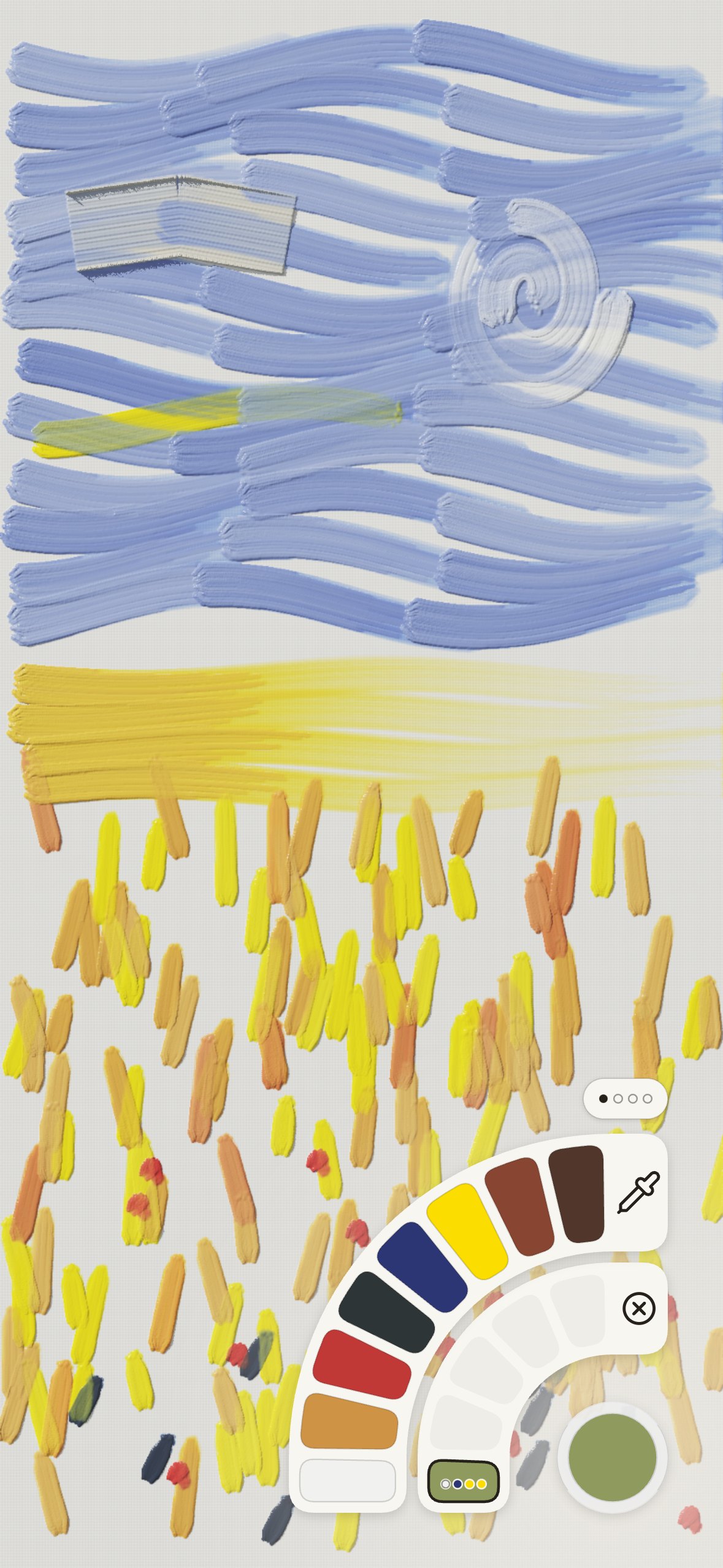
The painting keeps the whole screen; the hand keeps its natural grip.
A studio that is always with you
Oil paint asks for space, solvents, time to set up and time to clean. The phone asks for none of that, and it's already in your pocket. Paintings keep themselves, a painting left for a while has dried and is ready to glaze when you come back, and nothing leaves the phone.
A daily sketchbook for a medium that has never had one.
What only the phone can settle
How tilting feels over a long session, whether the contact range matches real fingers, and how the corners suit every size of iPhone are for real hands to judge. I'm measuring them on the phone itself.
What a phone can and cannot feel The interface investigation